Transform Delphi & Lazarus Apps into Pure Web Apps
xProject compiles your desktop applications into clean HTML, CSS, and JavaScript — no runtime dependencies, no emulators, just native web output that looks and works like the original.
Why We Built xProject
Bringing decades of Delphi and Lazarus expertise to the web
What is xProject?
xProject is a compiler and toolchain that transforms Delphi (.dpr) or Lazarus (.lpr) desktop applications into fully functional web applications. The output is pure HTML, CSS, and JavaScript — with zero runtime dependencies.
As more clients requested web applications, we faced the challenge of bringing our decades of Delphi and Lazarus experience to the web. After extensive research revealed no suitable solution, we built our own.
Minimal Learning Curve
Use your existing Delphi/Lazarus knowledge — no new framework to learn
Rapid Development
Quick compilation with minimal code modifications needed
Pure Web Output
Clean HTML, CSS, JavaScript — no emulators, no plugins, no dependencies
Original GUI Preserved
The generated Web UI looks and works exactly like your original application
program MyDesktopApp;
uses Forms, StdCtrls;
begin
Application.Initialize;
Application.CreateForm(TForm1, Form1);
Application.Run;
end.
↓ xProject compiles to ↓
// Pure HTML + CSS + JavaScript
// No runtime dependencies
// Original GUI preserved
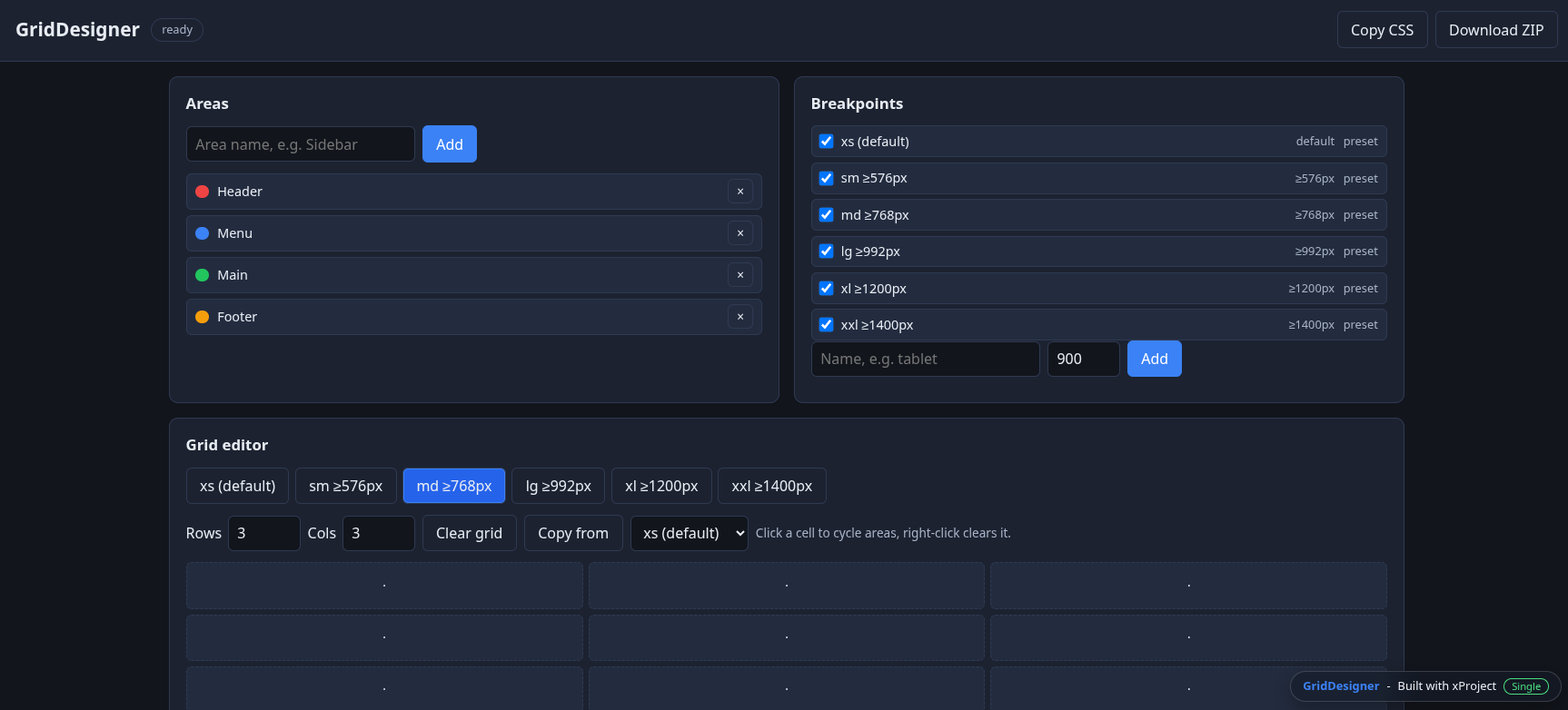
This website was built with xProject — demonstrating the compiler's capabilities in real-world use.
Three Parts, One Toolchain
xProject consists of three integrated components that work together seamlessly
xProject Compiler
The core compiler that transforms Pascal source code (Delphi/Lazarus) into pure HTML, CSS, and JavaScript. Preserves your original GUI layout and application logic — no manual rewriting needed.
Core EnginexProject Manager
The project management tool for organizing your xProject workflows. Compile projects, start and stop servers, create new projects, and deploy — all from a single interface.
Project ControlxProject-server
The development and deployment server. Serves your compiled web apps, provides WebSocket connectivity for real-time features, and supports multiple database backends out of the box.
Server RuntimexProject VPS
Everything preinstalled — start developing web apps immediately
What's Included
A dedicated development server with all tools preinstalled and configured. No setup time — just connect and start coding.
xProject Compiler
Database version with all components
Lazarus IDE
Linux with Windows and ARM cross-compile
VSCodium
Open-source VS Code without telemetry
Chromium + Firefox
Preinstalled for testing and debugging
Database Systems
- PostgreSQL
- Firebird (Interbase)
- MariaDB (MySQL)
- SQLite
- KeyDB (Redis-compatible)
- Oracle XE
- SQL Server Developer/Express
Additional Services
- Node.js v20.18.0 via NVM
- Local AI translation (llama.cpp, no API costs)
- Debian Trixie
- Other Linux distributions on request
Simple, Transparent Pricing
Pick the license that fits your team — VPS and support plans available separately.
Licenses
From the free Community edition to unlimited Enterprise.
1 developer, commercial use permitted.
- ✓1 developer
- ✓Commercial use permitted
- ✓GUI branding required — “Built with xProject” splash screen, footer and about box
For one developer.
- ✓1 developer
- ✓No GUI branding
- ✓Updates included during the license year
Perpetual license, includes 1 year of updates.
- ✓1 developer
- ✓No GUI branding
- ✓After the first year, updates can be renewed annually at 50% of the current Single license price
- ✓5 developers
- ✓Basic Light support: email, 48h response
- ✓1 support hour per month included
- ✓20 developers
- ✓Priority Light support: email + video, 24h response
- ✓3 support hours per month included
- ✓Unlimited developers
- ✓Premium Light support: email + video, 4h response
- ✓8 support hours per month included
VPS — xProject Single License Included
Fully preconfigured development servers, ready on day one.
- ✓1 domain
- ✓Automatic SSL certificates
- ✓3 domains
- ✓Automatic SSL certificates
- ✓10 domains
- ✓Automatic SSL certificates
Training
Build Web Applications with Delphi/Lazarus and xProject
- ✓10+ hours of on-demand video
- ✓20% discount for license customers
- ✓Free for Enterprise customers
Coming soon — newsletter subscribers will be notified as soon as the course is available.
SubscribeSupport Plans
Mon–Fri, 9 AM – 5 PM PYT
- ✓Email support
- ✓48h response time
- ✓5 hours per month
- ✓xProject-related topics
- ✓Email + video support
- ✓24h response time
- ✓15 hours per month
- ✓xProject, Delphi, Lazarus
- ✓Email + video support
- ✓4h response time
- ✓40 hours per month
- ✓xProject, Delphi, Lazarus
Unused support hours do not carry over to the following month. Support hours are billed in full-hour increments.
Install xProject
One installer for every edition — Community, Single, Team, Business and Enterprise.
Activation happens in the Manager
The installation is identical for every edition. After the first start, click “License” at the bottom left of the Manager and enter the email address you used for the purchase — that unlocks your edition. Until then xProject runs in demo mode.
Run this in a terminal. The installer detects your distribution, installs the required libraries and downloads xProject.
curl -fsSL https://xproject.studio/downloads/xProject/install.sh | sh
Debian/Ubuntu, Fedora/Rocky/AlmaLinux and openSUSE are supported.
When the installer is done it offers to start xProject right away — later you start it again with ./xProject.sh.
Install manually
You can also install xProject without the installer script:
mkdir -p ~/Programs/xProject && cd ~/Programs/xProject
mkdir -p Lin64
wget -O Lin64/xProject.zip "https://xproject.studio/downloads/xProject/00000000-0000-0000-0000-000000000000/xProject.zip"
unzip Lin64/xProject.zip -d Lin64
rm Lin64/xProject.zip
chmod +x Lin64/xProject

./Lin64/xProject
Verify the checksum
For security, verify the SHA256 checksum (published separately on GitHub) before running the installer:
curl -fsSL https://xproject.studio/downloads/xProject/install.sh -o install.sh && \
curl -fsSL https://raw.githubusercontent.com/xProjectF9/Installation/main/install.sh.sha256 -o install.sh.sha256 && \
sha256sum --check install.sh.sha256 && \
sh install.sh
On Windows, xProject runs inside WSL 2 with a Debian distribution. WSL is fully integrated — there is no separate native Windows build.
-
Open PowerShell as administrator and install WSL 2 with Debian. Restart Windows if you are asked to.
wsl --install -d Debian - WSL installs Debian and starts it right away — create your UNIX user name and password when you are asked for them.
-
Leave Debian with exit, so you can re-enter it as root and give your new user sudo rights (the installer needs them):
exit

wsl -d Debian -u root
usermod -aG sudo your-user
exit
-
Enter Debian again as your normal user — with wsl -d Debian, or via “Debian” in the Start menu — and run the installer there:
wsl -d Debian

mkdir -p ~/Programs/xProject && cd ~/Programs/xProject
curl -fsSL https://xproject.studio/downloads/xProject/install.sh | sh
-
When the installation is done, the installer asks whether it should start the Manager right away. To start it yourself later:
cd ~/Programs/xProject
./xProject.sh
GUI windows are rendered by WSLg, so no X server is needed. Your Windows drives are available under /mnt/c/.
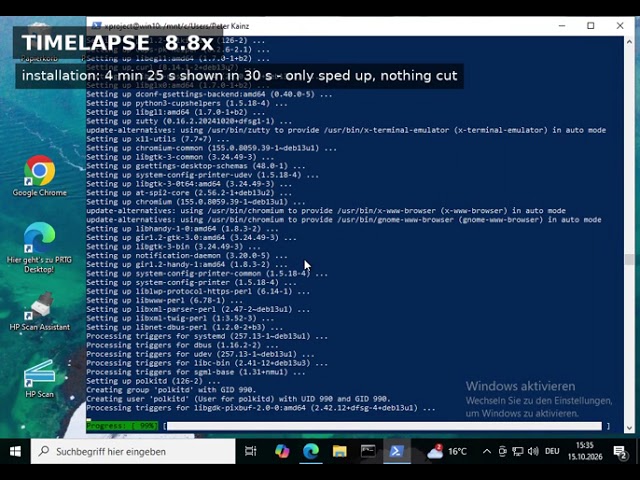
xProject install on WSL
Complete installation on Windows with WSL 2 (5:41)
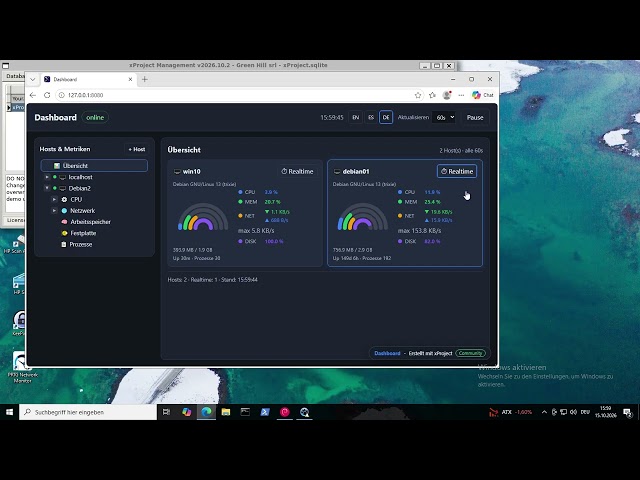
xProject demos on WSL
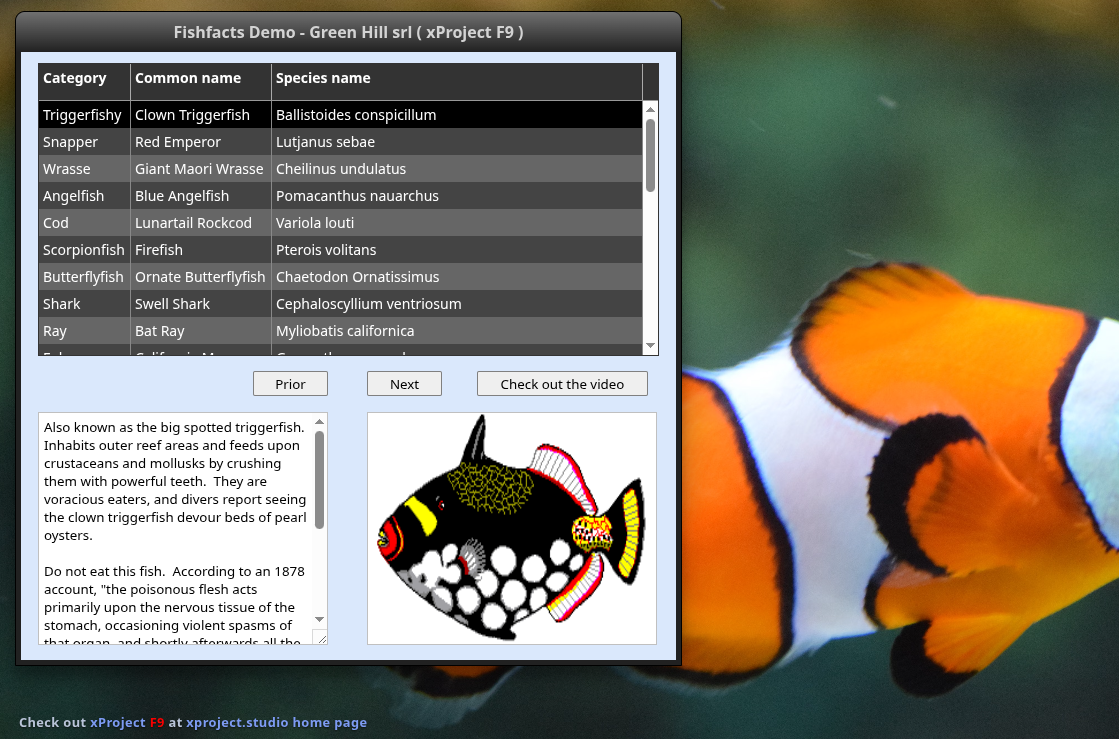
The xProject demo applications running under WSL
Videos
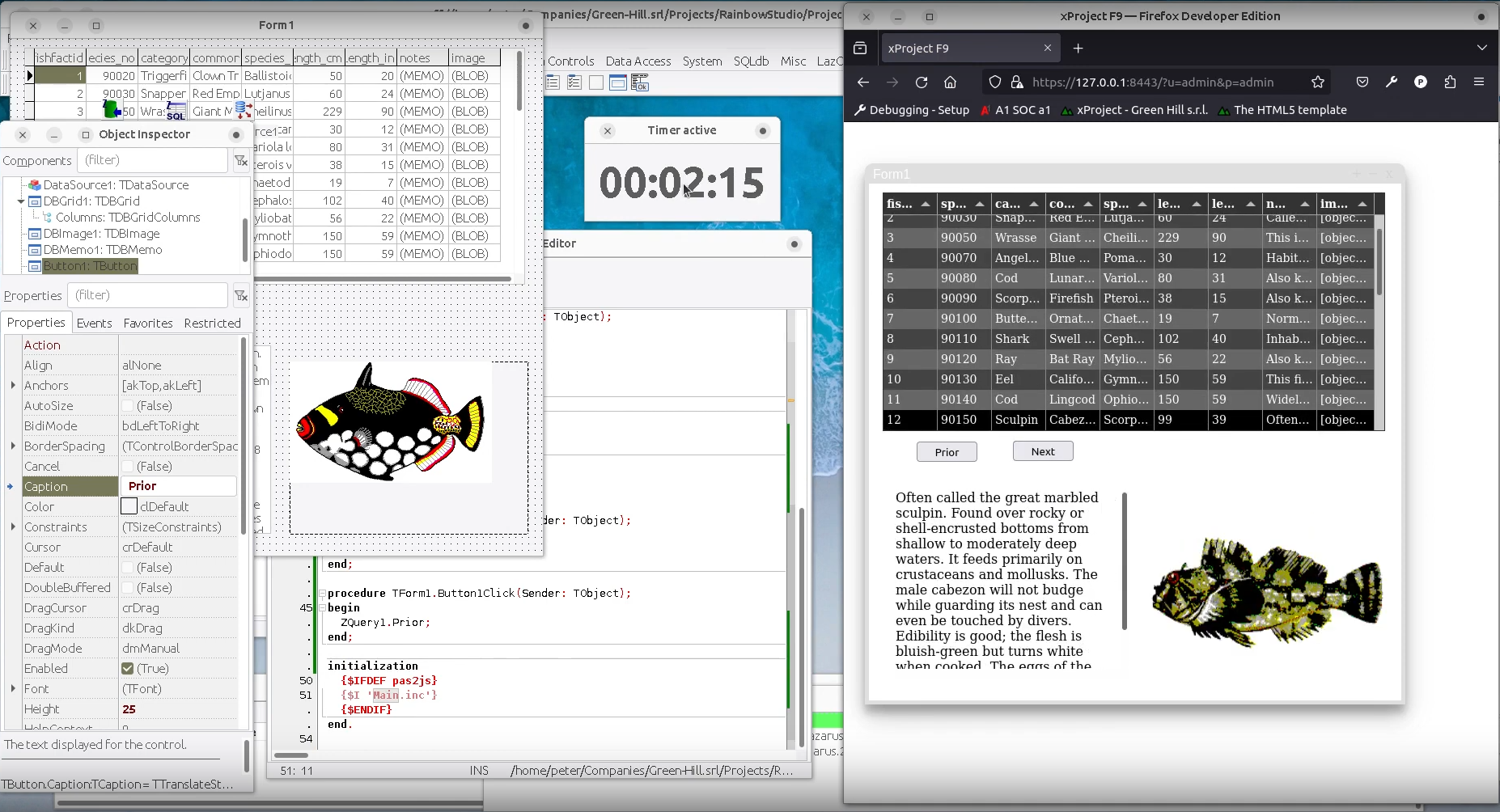
FishFacts demo in 2 minutes
xProject VPS
Demos

Contact Us
Ready to order or have questions? We're here to help.
Send us a message
Tell us about your project or ask about xProject and xProject VPS.
Company
Green Hill srlNaranjito 141210
Ybyrarobaná, Canindeyú
Paraguay
Connect
About Green Hill srl
xProject is developed by Green Hill srl — 20+ years of custom software development experience. Specializing in database solutions, VoIP/CTI, and web technologies.
🌐 green-hill.srl